
Out-of-office message generator
„"I will be unavailable until next Monday.""
Yawn. You're cycling through new landscapes – a little breeze in your inbox is perfectly acceptable.
Free • No registration required
That's what it looks like.
Hello.
Today you won't be able to reach me as usual, because I'm currently testing my heat tolerance on a bike tour around the Carinthian lakes.
Provided I have resisted the temptation to stay in a deckchair forever instead of continuing to pedal, you will hear from me again from August 17th.
Is it urgent? Leave me a message on my voicemail – I'll get back to you as soon as I'm no longer fused with my subterranean world. Liquid greetings and see you soon.
Here's how it works
1.
Adjust how it should sound
Four tones ranging from "subtle & charming" to "bold & playful". Also: who the note should reach, whether you use informal or formal address, and whether you have a substitute.
2.
In one or two sentences, tell me where you're going.
For example: „Along the Mur cycle path from St. Michael to Bad Radkersburg“
3.
Copy and paste
One click, and the text is in the clipboard. From there, paste it into Outlook, Gmail, or Apple Mail – the instructions are right below.
cyclebee Out of Office message
Create a charming out-of-office message for your cycling holiday.
Wishing you a wonderful cycling holiday with many beautiful moments
Your cyclebee team
When you get back: Tell us about your experiences at the next online cycling holiday meet-up.
You can find the next dates for our regular meetings here:
cyclebee.app/stammtisch
And you can find the cycle path sections that best suit you in our app:
my.cyclebee.app
Als E-Mail-Signatur exportieren
Here's how to add an out-of-office message.
You don't set your out-of-office message in the body of the email, but in your email program – usually under "Automatic Replies". Here are the steps for the most common programs.
File → Information → Automatic replies (Out of Office). Check the box for "Send automatic replies", enter the time period, and insert the text.
The most common mistake: There are two riders – „Within my organization“ and „Outside my organization.“ The text must appear in both. And in the second tab, additionally check the box for „Send automatic replies to people outside my organization.“ Otherwise, your customers won't receive a reply.
Gear icon in the top right corner → Accounts → Automatic replies. Turn it on, select the time period, and insert the text. Also, check the box for senders outside your organization.
Gear top right → Show all settings → "General" tab → at the very bottom Out-of-office message. Enter the first and last day, and add the subject and text.
At the very bottom save Changes Click – the button is easily overlooked, and without it, everything is gone again.
If your emails are handled via iCloud: icloud.com → Mail → Settings (gear icon) → Auto-reply.
If your account is run through another provider, such as the company, the note will not be placed in Apple Mail, but with the provider itself.
Settings → Email → Automatic response (On web.de it's called "Vacation Notification"). Enter the dates and text, then activate.
cyclebee App
The note is written. And the route?
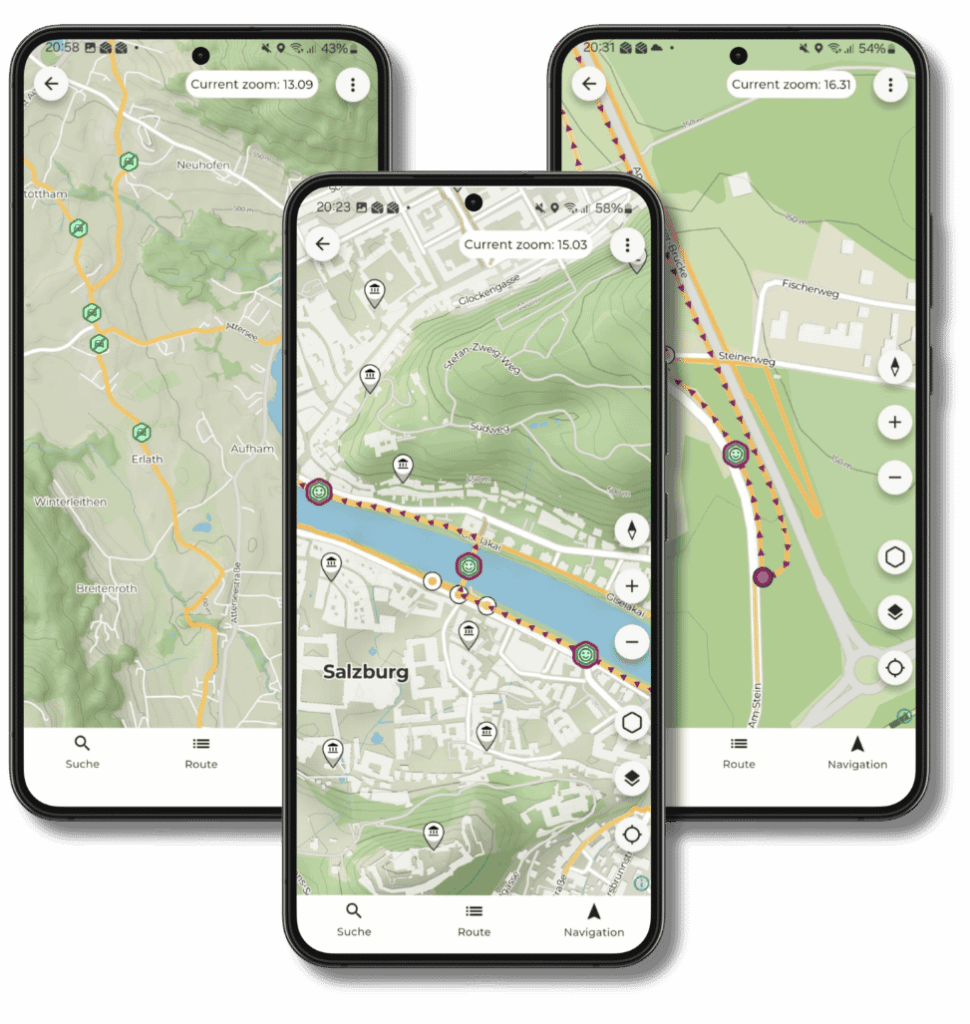
The cyclebee app doesn't just show you a line from A to B, but the entire network of official cycle paths. You first gather information that interests you – sections, places, things along the way – and then use that to create your own stages. Tailored to your bike and your pace, not based on some average calculation.
Relevant sections at a glance
Green smileys show you where your profile fits well – you don't have to painstakingly check everything.
Share
Who should know about the out-of-office message generator?
Here's the quick solution for individual out-of-office messages.